Link Analytics Complete Guide - Track, Measure, and Optimize Performance
Master link analytics with this comprehensive guide. Learn how to track clicks, analyze traffic sources, measure ROI, and optimize your marketing campaigns.
Link analytics is the foundation of data-driven marketing. Without proper link tracking, you're flying blind—guessing what works instead of knowing.
This comprehensive guide covers everything you need to know about link analytics: what to track, how to measure success, and how to use data to optimize your campaigns.
What is Link Analytics?
Link analytics is the process of collecting, analyzing, and acting on data about how people interact with your links.
Key metrics tracked:
- Click volume (total and unique)
- Traffic sources (where clicks come from)
- Geographic distribution (countries, cities)
- Device types (desktop, mobile, tablet)
- Browser and operating systems
- Time-based patterns (hourly, daily, weekly)
- Conversion rates (clicks to actions)
Why Link Analytics Matters
1. Measure Campaign ROI
Without analytics:
Spent $5,000 on marketing campaign
Got "some" traffic
Not sure which channels worked
Can't justify budget for next campaign
With analytics:
Spent $5,000 on marketing campaign
Twitter: 2,450 clicks, 45 conversions ($2.04 CPA)
LinkedIn: 890 clicks, 67 conversions ($1.12 CPA)
Facebook: 3,200 clicks, 23 conversions ($4.35 CPA)

Decision: Double down on LinkedIn, optimize Facebook, maintain Twitter
2. Understand Your Audience
Analytics reveal who your audience really is:
- Geographic data: Expand to high-performing regions
- Device breakdown: Optimize for mobile if 70% of traffic is mobile
- Time patterns: Post when your audience is active
- Referrer sources: Focus on channels that drive quality traffic
3. Optimize Content Performance
See which content resonates:
- Top-performing links by clicks
- Highest engagement rates
- Best-converting landing pages
- Content that drives shares
4. Prevent Link Fraud and Abuse
Detect suspicious activity:
- Bot traffic patterns
- Click fraud
- Spam referrers
- Invalid clicks
Essential Link Analytics Metrics
1. Total Clicks
What it is: Total number of times your link was clicked
Why it matters:
- Broad measure of reach
- Trend analysis over time
- Campaign volume assessment
How to use:
Week 1: 1,250 clicks
Week 2: 890 clicks (↓ 29%)
Week 3: 2,340 clicks (↑ 163%)

Analysis: Week 3 spike coincided with influencer mention
Action: Pursue more influencer partnerships
Limitations:
- Doesn't account for unique users
- Can include bot traffic
- No quality indication
2. Unique Clicks
What it is: Number of individual users who clicked (deduplicated)
Why it matters:
- True reach measurement
- More accurate than total clicks
- Better for audience size estimation
How to calculate:
Engagement Rate = Unique Clicks ÷ Total Clicks × 100

Example:
Total Clicks: 5,000
Unique Clicks: 3,200
Engagement Rate: 64%

High engagement rate (>70%) = Strong interest, low repeat clicks
Low engagement rate (<40%) = Users checking multiple times or bot traffic
3. Click-Through Rate (CTR)
What it is: Percentage of people who clicked after seeing your link
Formula:
CTR = (Clicks ÷ Impressions) × 100Industry benchmarks:
- Email: 2-5% (good), 5-10% (excellent)
- Social media: 1-3% (good), 3-6% (excellent)
- Display ads: 0.5-1% (good), 1-2% (excellent)
How to improve:
- Better call-to-action
- More compelling copy
- Stronger value proposition
- A/B test different messages
4. Traffic Sources (Referrers)
What it is: Where clicks originated from
Common sources:
- Direct (typed URL or bookmark)
- Social media (Twitter, LinkedIn, Facebook, Instagram)
- Email campaigns
- Organic search
- Paid advertising
- Other websites (backlinks)
How to analyze:
Source Breakdown:
Twitter: 45% (2,250 clicks)
LinkedIn: 30% (1,500 clicks)
Email: 15% (750 clicks)
Direct: 10% (500 clicks)

Insight: Twitter drives most traffic
Action: Increase Twitter posting frequency
Test: LinkedIn posts during business hours for higher engagement
5. Geographic Data
What it is: Where your clickers are located
Levels of detail:
- Country
- State/Region
- City
- Latitude/Longitude (for advanced users)
Use cases:
1. Localization:
Top Countries:
1. United States: 4,500 clicks (45%)
2. United Kingdom: 2,000 clicks (20%)
3. India: 1,500 clicks (15%)
4. Canada: 1,000 clicks (10%)

Action:
- Maintain English as primary language
- Consider UK English variants
- Test Hindi content for Indian market
- Add Canadian-specific landing pages
2. Time zone optimization:
If top countries span multiple time zones,
schedule posts to catch peak hours in each region.

Example:
- 9 AM EST for US East Coast
- 12 PM EST for US West Coast
- 2 PM GMT for UK
- 9 PM IST for India
3. Regional campaigns:
Launching product in specific regions?
Track geographic click distribution to measure campaign effectiveness.
6. Device Analytics
What it is: Device types used to click links
Categories:
- Desktop (Windows, macOS, Linux)
- Mobile (iOS, Android)
- Tablet (iPad, Android tablets)
Why it matters:
Example scenario:
Device Breakdown:
Mobile: 68%
Desktop: 28%
Tablet: 4%

Insights:
1. Mobile-first strategy is critical
2. Landing pages must be mobile-optimized
3. Tablet experience is low priority

Actions:
- Redesign landing page for mobile
- Test mobile checkout flow
- Simplify mobile forms
- Consider mobile app
7. Browser and Operating System
What it is: Software used to access links
Why track it:
- Cross-browser compatibility testing
- Identify technical issues
- Prioritize development efforts
Example:
Browsers:
Chrome: 67%
Safari: 22%
Firefox: 8%
Edge: 3%

OS:
Windows: 45%
iOS: 28%
Android: 18%
macOS: 9%

Action: Ensure Chrome and Safari work perfectly
Test on Windows and iOS primarily
8. Time-Based Patterns
What it is: When people click your links
Dimensions:
- Hour of day
- Day of week
- Week of month
- Month of year
Hourly heatmap insights:
Peak Hours: 2-4 PM (highest engagement)
Dead Zones: 2-6 AM (minimal activity)
Best Days: Wednesday, Thursday
Worst Days: Saturday, Sunday

Strategy:
- Schedule important posts at 2 PM on Wednesdays
- Avoid weekend launches
- Set up automated posting for peak times
9. Conversion Rate
What it is: Percentage of clicks that complete desired action
Formula:
Conversion Rate = (Conversions ÷ Clicks) × 100Examples of conversions:
- Purchase
- Sign-up
- Download
- Form submission
- Video watch
- Email subscription
Benchmark conversion rates:
- E-commerce: 2-3% (good), 3-5% (excellent)
- SaaS free trial: 5-10% (good), 10-25% (excellent)
- Lead generation: 10-15% (good), 15-25% (excellent)
How to improve:
Current: 2.3% conversion rate (below benchmark)

Test:
1. Simplify landing page (remove distractions)
2. Stronger headline (clearer value prop)
3. Better call-to-action button (color, text, placement)
4. Add social proof (testimonials, logos)
5. Reduce form fields (ask less information)

Result: 4.1% conversion rate (78% improvement)
Advanced Analytics Techniques
1. UTM Parameter Tracking
What are UTM parameters? URL parameters that track campaign details.
Five UTM parameters:
utm_source: Traffic source (google, newsletter, twitter)
utm_medium: Marketing medium (cpc, email, social)
utm_campaign: Campaign name (spring_sale, product_launch)
utm_term: Paid search keywords (running_shoes)
utm_content: A/B testing variants (banner_blue, cta_signup)
Example:
Original URL:
https://yourstore.com/product

With UTM:
https://yourstore.com/product?utm_source=twitter&utm_medium=social&utm_campaign=spring_sale&utm_content=image_variant_a

Short link:
https://go.yourstore.com/spring-sale-tw
Benefits:
- Track campaign performance
- Attribute conversions correctly
- A/B test different creative
- Justify marketing spend
2. Multi-Touch Attribution
The challenge: Users rarely convert on first click. They interact with multiple touchpoints.
Customer journey example:
Day 1: See Twitter ad → Click link → Browse
Day 3: Google search → Click organic result → Read reviews
Day 7: LinkedIn post → Click link → Sign up

Which source gets credit?
Attribution models:
Last-click (default):
LinkedIn gets 100% credit
Simple but ignores earlier touchpoints
First-click:
Twitter gets 100% credit
Good for awareness metrics
Linear:
Twitter: 33.3%
Google: 33.3%
LinkedIn: 33.3%
Equal credit to all touchpoints
Time-decay:
Twitter: 20%
Google: 30%
LinkedIn: 50%
More recent interactions get more credit
How to implement: Use cookie tracking or user IDs to connect multiple clicks from same user.
3. Cohort Analysis
What it is: Group users by shared characteristics and track behavior over time.
Example cohorts:
- Users who clicked in January
- Users from Twitter campaign
- Users on mobile devices
- Users from specific geographic region
Why use it:
Week 1 cohort retention:
Day 1: 100% (baseline)
Day 7: 45%
Day 30: 12%

Week 2 cohort retention:
Day 1: 100%
Day 7: 38% (↓ 7% vs Week 1)
Day 30: TBD

Insight: Week 2 cohort has worse retention
Hypothesis: Changed onboarding flow
Action: Revert onboarding changes
4. Funnel Analysis
What it is: Track user progression through conversion steps.
E-commerce example:
Step 1: Click link → 10,000 users (100%)
Step 2: View product → 7,500 users (75%)
Step 3: Add to cart → 2,250 users (22.5%)
Step 4: Checkout → 900 users (9%)
Step 5: Purchase → 450 users (4.5%)

Biggest drop-off: Product view to cart (75% → 22.5%)

Hypothesis: Product page unclear, pricing concerns
Actions:
- Add product videos
- Show pricing more prominently
- Add "Free shipping" banner
- Include customer reviews
5. A/B Testing with Links
Test different elements:
- Landing page variants
- Headlines
- Call-to-action buttons
- Images
- Pricing displays
Setup:
Link A: go.site.com/sale-v1 → Landing page variant A
Link B: go.site.com/sale-v2 → Landing page variant B

Track separately:
Variant A: 5,000 clicks, 225 conversions (4.5%)
Variant B: 5,000 clicks, 315 conversions (6.3%)

Winner: Variant B (40% better conversion rate)
Action: Make B the default
Tools and Platforms
1. LikeDo Analytics
Built-in features:
- Real-time click tracking
- Geographic heatmaps
- Device and browser analytics
- Hourly activity patterns
- Traffic source breakdown
- Custom time ranges
- CSV export
Best for: Comprehensive link-level analytics without external tools.
2. Google Analytics
What it offers:
- Website-level analytics
- User behavior flow
- Conversion tracking
- E-commerce tracking
- Custom reports
Integration with LikeDo:
- Create short links with UTM parameters
- Links redirect to your site
- Google Analytics tracks the visit
- Full funnel visibility
3. Custom Dashboards
Tools:
- Google Data Studio (free)
- Tableau
- Power BI
- Looker
Setup:
- Export LikeDo analytics to CSV
- Import into dashboard tool
- Create visualizations
- Share with stakeholders
Common Analytics Mistakes
1. Tracking Vanity Metrics Only
Bad:
"We got 50,000 clicks!"Good:
"We got 50,000 clicks:
- 12,000 unique users
- 2.4% conversion rate
- $15,000 revenue attributed
- $0.30 cost per click
- $1.25 cost per acquisition
- 5x ROI"
Focus on metrics that tie to business outcomes.
2. Not Setting Up Conversion Tracking
Clicks without conversions = incomplete picture.
Always track:
- Purchases (e-commerce)
- Sign-ups (SaaS)
- Downloads (content)
- Form submissions (lead gen)
- Video views (engagement)
3. Ignoring Bot Traffic
Symptoms:
- Unrealistic click spikes
- 100% bounce rate
- Clicks from suspicious locations
- Same IP repeated clicks
Solution:
- Enable bot filtering
- Review referrer sources
- Set up alerts for unusual patterns
4. Not Segmenting Data
Don't analyze:
"All traffic performed at 3.5% conversion rate"Do analyze:
Mobile: 2.1% conversion rate
Desktop: 5.3% conversion rate

Insight: Desktop converts 2.5x better
Action: Optimize mobile checkout flow
5. Analysis Paralysis
Don't get stuck in data without taking action.
Framework:
- Review data weekly
- Identify 1-2 key insights
- Form hypothesis
- Test solution
- Measure impact
- Repeat
Link Analytics Best Practices
1. Set Clear Goals
Before creating links, define:
- What action do you want users to take?
- How will you measure success?
- What's your target metric?
Example:
Goal: Drive trial sign-ups from Twitter campaign
Success metric: Sign-up conversion rate
Target: 5% conversion rate
Measurement: Track twitter.com/spring-campaign link
2. Use Consistent Naming Conventions
Bad:
go.site.com/link1
go.site.com/twitter-post
go.site.com/Tweet_March
go.site.com/social-2026
Good:
go.site.com/tw-spring-sale-2026-01
go.site.com/tw-spring-sale-2026-02
go.site.com/li-spring-sale-2026-01
go.site.com/fb-spring-sale-2026-01

Format: [platform]-[campaign]-[year]-[variant]
Benefits:
- Easy to identify campaigns
- Quick filtering
- Bulk analysis
- Historical comparison
3. Tag Everything
Use tags/categories to organize links:
Tags: "spring-2026", "twitter", "paid", "product-launch"

Filter by tag to see:
- All spring campaign links
- All Twitter links
- All paid traffic
- All product launch related
4. Review Regularly
Daily (5 min):
- Check top links
- Monitor for anomalies
- Verify campaigns are live
Weekly (30 min):
- Analyze trends
- Compare to previous week
- Identify optimization opportunities
Monthly (2 hours):
- Comprehensive review
- Generate reports
- Plan next month
- Share insights with team
5. Act on Insights
Data without action is worthless.
Framework:
1. Insight: Mobile conversion rate is 50% of desktop
2. Hypothesis: Mobile checkout is too complex
3. Action: Simplify mobile checkout (reduce steps from 5 to 3)
4. Measure: Track mobile conversion rate over 30 days
5. Result: Mobile conversion improved by 35%
6. Next: Test one-click checkout for returning users
Conclusion
Link analytics transforms marketing from guesswork to science. By tracking the right metrics, analyzing patterns, and acting on insights, you can:
- Improve campaign ROI
- Understand your audience better
- Optimize content performance
- Make data-driven decisions
- Scale what works
Start tracking today:
- Create trackable links with LikeDo
- Add UTM parameters for campaigns
- Monitor key metrics daily
- Review and optimize weekly
- Scale successful strategies
Remember: The best analytics system is one you actually use. Start simple, track consistently, and improve over time.
👉 Start tracking with LikeDo Analytics
Measure everything. Optimize relentlessly. Grow systematically.
Author

Categories
More Posts
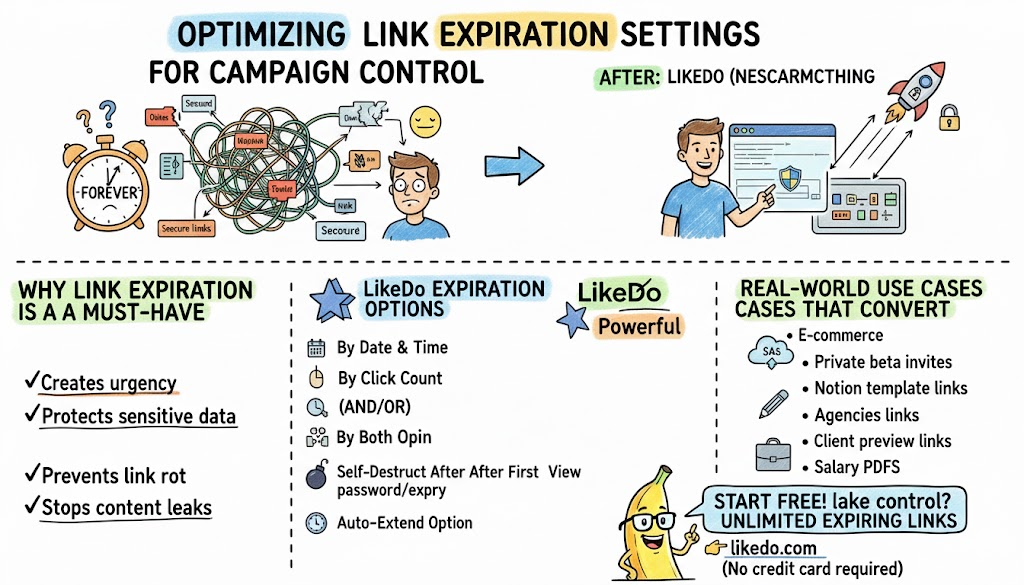
Optimizing Link Expiration Settings for Better Campaign Control
Master expiring links, password-protected links, and auto-delete features to run limited-time offers, secure file sharing, and private campaigns with full control.
How to Use AI Agent Chat for Productivity
Complete guide to LikeDo's AI agent chat feature - boost your productivity with intelligent conversations, thread management, and tool integration.

Introducing the Co-Creation Program - Share Your Content, Earn Credits
Join LikeDo's Co-Creation Program and earn up to 2,000 platform credits by sharing your posts and short links on external platforms.
Newsletter
Join the community
Subscribe to our newsletter for the latest news and updates