5 Practical Use Cases for Temporary Email in 2026
Discover how temporary email addresses protect your privacy, reduce spam, and streamline workflows. Essential guide for developers and digital professionals.
Temporary email addresses have become an essential tool for privacy-conscious users and developers. But many people still don't realize just how powerful and versatile they can be.
In this guide, we'll explore 5 practical scenarios where temporary email can save you time, protect your privacy, and make your digital life easier.
What is Temporary Email?
A temporary (or disposable) email address is a short-lived email that:
- Works instantly without registration
- Receives emails for a limited time
- Doesn't require a real inbox
- Can be discarded after use
LikeDo takes this concept further by allowing you to create custom temporary email addresses using your own domain, like anything@yourdomain.com.
Use Case 1: Testing Email Workflows and Applications
The Problem
As a developer, you need to test email functionality constantly:
- User registration flows
- Password reset emails
- Notification systems
- Email templates
Creating dozens of real email accounts is tedious and cluttered.
The Solution
With LikeDo's temporary email:
test1@yourdomain.com
test2@yourdomain.com
signup-test@yourdomain.com
All emails arrive in your LikeDo dashboard instantly. No inbox switching, no cleanup needed.
Real-World Example
A SaaS developer testing a new onboarding sequence can create 10 different temporary emails in seconds, receive all test emails in one place, and verify templates without polluting a real inbox.
Time saved: 15-20 minutes per testing session
Use Case 2: Signing Up for Services Without Exposing Your Real Email
The Problem
Every service you sign up for becomes a potential source of:
- Spam and promotional emails
- Data breaches exposing your email
- Unwanted newsletters
- Sold contact information
The Solution
Use a unique temporary email for each service:
netflix-trial@yourdomain.com
ebook-download@yourdomain.com
webinar-signup@yourdomain.com
If spam starts arriving, you know exactly which service leaked or sold your data.
Real-World Example
An entrepreneur testing 5 different project management tools can use separate temporary emails for each trial. After deciding on one, they simply stop checking the other temporary addresses — zero cleanup required.
Benefit: Complete email isolation and accountability
Use Case 3: Managing Multiple Client Projects
The Problem
Freelancers and agencies often juggle dozens of client projects, each with its own:
- Service subscriptions
- Third-party integrations
- Team tool access
- Vendor communications
Using your main email becomes chaotic.
The Solution
Create project-specific temporary emails:
client-acme@agency.com
project-bravo@agency.com
vendor-charlie@agency.com
When the project ends, archive or delete the email address. Clean slate for the next project.
Real-World Example
A digital marketing agency managing 15 client campaigns creates separate temporary emails for each client's analytics, advertising, and reporting tools. When a client contract ends, they simply stop using that email — no forwarding rules to update.
Benefit: Organized, isolated, and easy to sunset
Use Case 4: Protecting Your Identity in Online Communities
The Problem
Participating in online forums, Reddit, Discord, or niche communities often requires email verification. But you might not want to:
- Link your real identity to anonymous accounts
- Receive community notifications to your main inbox
- Risk your email being scraped or exposed
The Solution
Use temporary emails for community accounts:
reddit-tech@yourdomain.com
discord-gaming@yourdomain.com
forum-anonymous@yourdomain.com
Receive verification emails, participate freely, and maintain complete privacy.
Real-World Example
A security researcher participating in multiple bug bounty programs uses separate temporary emails for each platform. This maintains anonymity while still receiving important notifications.
Benefit: Privacy and compartmentalization
Use Case 5: Selling Digital Products Without a Payment Platform
The Problem
Indie creators selling ebooks, templates, or courses often want to avoid:
- Gumroad's 10% fees
- Shopify's monthly costs
- Complex payment gateway setups
But how do you deliver products to customers?
The Solution
Combine LikeDo's temporary email with file storage:
- Customer pays via Stripe checkout (0% platform fee)
- Receives a unique temporary email:
delivery-abc123@yourstore.com - Automated email sends download link
- Customer downloads product
- Email expires after 7 days
Real-World Example
A Notion template creator sells $29 templates. For each purchase:
- Customer receives unique temporary email
- Download link delivered instantly
- No marketplace fees
- Complete control over customer experience
Revenue saved: 10-30% per transaction
Advanced Temporary Email Strategies
1. Email Forwarding to Real Inbox
Configure temporary emails to forward important messages to your real email while filtering out spam.
2. Expiration Dates
Set emails to expire after a specific period:
- 1 hour for quick verifications
- 7 days for service trials
- 30 days for short-term projects
3. Password Protection
Add password protection to sensitive temporary emails for extra security.
4. Custom Domains for Branding
Use your branded domain for temporary emails to maintain professionalism while protecting privacy.
Privacy and Security Benefits
Temporary emails provide:
Data Breach Protection
If a service gets hacked, only that temporary email is compromised — not your primary inbox.
Spam Prevention
Stop spam at the source. Temporary emails naturally filter unwanted messages.
Identity Protection
Keep your real email private. Reduce digital footprint across the web.
Email Tracking Prevention
Many marketing emails include tracking pixels. Temporary emails isolate these trackers.
Common Misconceptions
"Temporary emails are only for shady purposes"
False. Legitimate use cases include testing, privacy protection, and workflow organization.
"They're complicated to set up"
False. With LikeDo, creating a temporary email takes 5 seconds.
"You can't receive important emails"
False. Temporary emails receive all emails just like regular inboxes. You control the retention period.
Getting Started with Temporary Email on LikeDo
Setting up your own temporary email system:
- Sign up at https://like.do
- Connect a custom domain (optional but recommended)
- Create temporary emails instantly as needed
- View all emails in your unified dashboard
- Set expiration and security options
Best Practices
1. Use Descriptive Names
netflix-trial-2026@domain.com  ✅
temp123@domain.com             ❌
2. Document Your Temporary Emails
Keep a simple list of which temporary email you used for which service.
3. Set Appropriate Expiration
- Quick verification: 1 hour
- Service trial: 7-30 days
- Long-term project: 1 year
4. Combine with Password Manager
Store temporary email + password combinations securely.
Conclusion
Temporary emails are no longer just a privacy hack — they're a productivity and security tool that every developer, freelancer, and digital professional should use.
With LikeDo's custom domain support, you get all the benefits of temporary email plus:
- Professional branded addresses
- Centralized email management
- Complete control over retention
- Integration with short links and file sharing
Stop exposing your real email to every random service. Start using temporary emails strategically.
👉 Create your first temporary email on LikeDo
Protect your inbox. Protect your privacy.
Author

Categories
More Posts
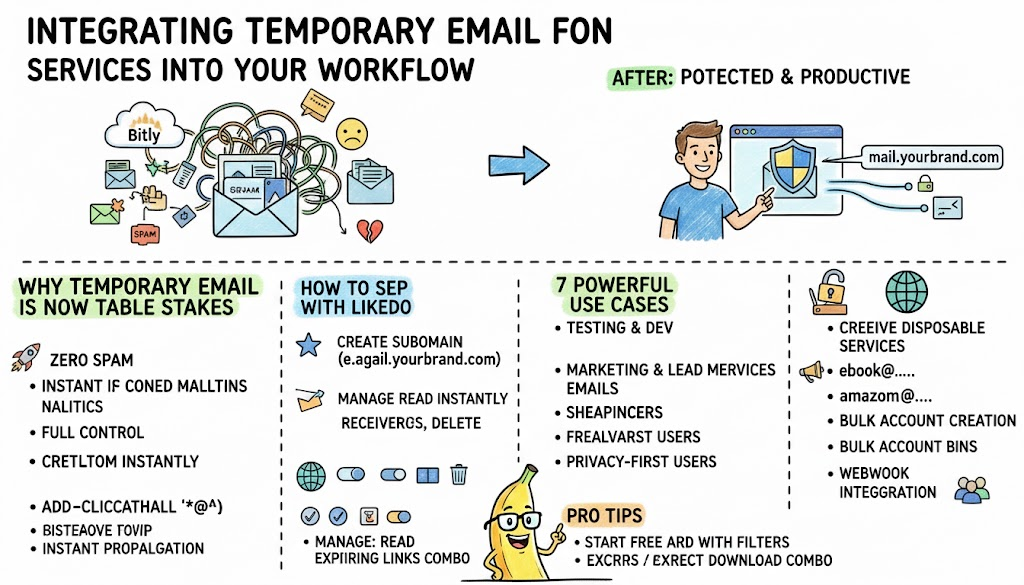
Integrating Email Services Into Your Workflow
Discover how developers, marketers, and privacy-conscious users are using custom-domain temporary email forwarding to stay productive while protecting their real inbox in 2026.
How to Use Custom Domains to Boost Your Brand Authority in 2026
Learn how custom domain short links can increase click-through rates by up to 39% and build trust with your audience. Complete guide with real-world examples.
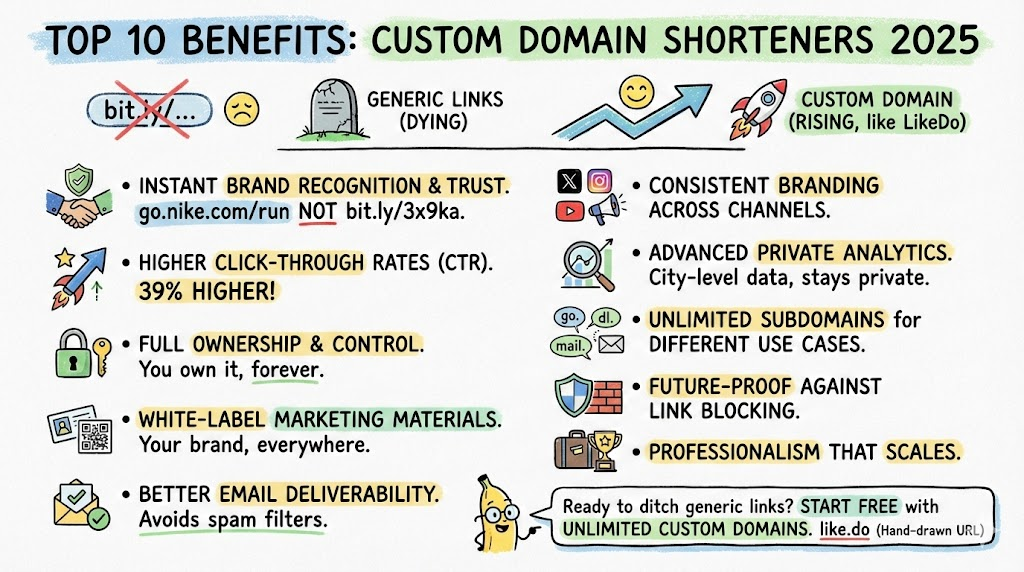
Top 10 Benefits of Using Custom Domain Shorteners in 2026
Why smart brands and developers are ditching generic short links like bit.ly or t.ly and moving to custom domain shorteners like LikeDo.
Newsletter
Join the community
Subscribe to our newsletter for the latest news and updates