Complete Guide to Earning and Using Credits
Learn all the ways to earn credits and how credits are used across LikeDo features
Credits are the currency that powers LikeDo. Understanding how to earn and optimize credit usage is essential for getting the most value from the platform.
This comprehensive guide covers every way to earn credits and every feature that consumes them.
How to Earn Credits
1. Sign-Up Bonus (Free)
What you get:
- 25 credits immediately upon registration
- Valid for 365 days
- No payment required
How to claim:
- Create a free account at like.do
- Verify your email address
- Credits automatically added to your account
Perfect for:
- Testing the platform
- Creating your first links
- Exploring features before upgrading
2. Referral Program (Free)
Earn credits by inviting friends:
Referrer rewards:
- 50 credits for each verified referral
- No limit on total referrals
- Max 20 invitations per day
Referee rewards:
- 25 credits when they sign up and verify email
- Instant credit upon verification
How it works:
- Get your unique referral link from Dashboard → Settings → Referral
- Share with friends, colleagues, social media
- When someone signs up and verifies email, both earn credits
- Credits added automatically within 24 hours
Referral requirements:
- Referee must verify their email address
- Each email can only be used once
- Account must show genuine activity (no spam/bots)
- Daily invitation limit: 20 per day
Credit expiration:
- Free plan users: 365 days
- Paid plan users: 3650 days (10 years)
Pro tips for maximizing referral credits:
- Share on LinkedIn, Twitter, and relevant communities
- Create content about LikeDo with your referral link
- Add referral link to email signature
- Help others understand the value before sharing
Example calculation:
Invite 10 friends = 500 credits
500 credits = $5-10 value depending on usage
Equivalent to 2 Standard credit packages
3. Plan-Based Credits (Subscription)
Credits included with each plan:
Free Plan
- 25 credits on sign-up only
- Valid: 365 days
- No recurring credits
Pro Plan (Monthly - $9.90/month)
- 1,000 credits/month
- Valid: 3650 days (10 years)
- Unused credits roll over
- Best for: Regular users
Monthly breakdown:
$9.90/month = 1,000 credits
= ~$0.01 per credit
= 33 credits per day
Pro Plan (Yearly - $99/year)
- 12,000 credits immediately
- Valid: 3650 days
- 17% savings vs monthly
- Best for: Committed users
Yearly breakdown:
$99/year = 12,000 credits
= ~$0.0082 per credit
= 1,000 credits/month average
= Save $19.80/year vs monthly
Lifetime Plan ($199 one-time)
- 2,000 initial credits
- Credits never expire
- Occasional bonus credits (holidays, promotions)
- Best for: Long-term users
Lifetime value:
$199 one-time = 2,000 credits + lifetime access
No monthly fees ever
Bonus credits on special occasions
How to upgrade:
- Go to Dashboard → Settings → Billing
- Choose your plan
- Complete payment
- Credits added instantly
4. Credit Packages (One-Time Purchase)
Purchase credits as needed:
Basic Package - $1.90
- 200 credits
- Valid: 30 days
- $0.0095 per credit
- Best for: Occasional users
Standard Package - $6.90
- 800 credits
- Valid: 90 days
- $0.0086 per credit
- Most popular
- 9% savings vs Basic
Premium Package - $14.90
- 2,000 credits
- Valid: 180 days
- $0.0074 per credit
- 22% savings vs Basic
- Best for: Heavy usage periods
Enterprise Package - $19.90
- 3,000 credits
- Valid: 180 days
- $0.0066 per credit
- Best value - 30% savings vs Basic
- Best for: Power users
How to purchase:
- Dashboard → Settings → Credits
- Click "Buy Credits"
- Select package
- Complete payment via Stripe
- Credits added instantly
Package comparison:
| Package | Price | Credits | $/Credit | Validity | Savings |
|---|---|---|---|---|---|
| Basic | $1.90 | 200 | $0.0095 | 30 days | - |
| Standard | $6.90 | 800 | $0.0086 | 90 days | 9% |
| Premium | $14.90 | 2,000 | $0.0074 | 180 days | 22% |
| Enterprise | $19.90 | 3,000 | $0.0066 | 180 days | 30% |
5. Promotional Credits (Seasonal)
Earn bonus credits through:
Seasonal promotions:
- Holiday bonuses (Christmas, New Year)
- Anniversary celebrations
- Product launches
- Platform milestones
Community engagement:
- Feature suggestions (if implemented)
- Bug reports (if valid)
- Content creation (tutorials, reviews)
- Community contributions
Special events:
- Contests and challenges
- Referral campaigns with bonuses
- Limited-time offers
How to stay updated:
- Subscribe to newsletter
- Follow on Twitter/LinkedIn
- Join Discord community
- Check Dashboard → Promotions
Recent examples:
- Black Friday 2024: 50% bonus on all credit packages
- New Year 2026: 100 free credits for all users
- Referral Contest: Top 10 referrers won 500 bonus credits
How Credits Are Used
1. Link Management
Short link creation:
- Basic short link: 1 credit
- Custom slug: 2 credits
- Password-protected: 3 credits
- Expiring link: 2 credits
- QR code generation: 1 credit
Example usage:
Create go.yourdomain.com/sale
Cost: 2 credits (custom slug)

Add password protection
Additional: +3 credits
Total: 5 credits

Generate QR code
Additional: +1 credit
Final total: 6 credits
Optimization tip: Use basic links when custom slugs aren't necessary. Save credits for high-value links.
2. Email Services
Temporary email:
- Create basic temp email: 5 credits
- Custom domain email: 10 credits
- Email forwarding: 3 credits per email received
Example usage:
Create test@yourdomain.com
Cost: 10 credits (custom domain)

Receive 5 emails
Additional: 5 × 3 = 15 credits
Total: 25 credits
Optimization tip: Use basic temporary emails for testing. Reserve custom domain emails for important use cases.
3. File Storage
File uploads:
- File up to 10MB: 5 credits
- File 10-50MB: 10 credits
- File 50-100MB: 20 credits
- Password protection: +5 credits
- Expiring link: +3 credits
Example usage:
Upload 25MB presentation
Base cost: 10 credits

Add password protection
Additional: +5 credits

Set 7-day expiration
Additional: +3 credits
Total: 18 credits
Optimization tip: Compress large files before uploading. Delete unused files to avoid unnecessary storage costs.
4. AI Tools
AI features:
- Image generation: 50 credits
- Text analysis: 10 credits
- Content optimization: 15 credits
- AI insights: 5 credits
- AI chat message: 2 credits (Pro/Lifetime plans)
Example usage:
Generate promotional image
Cost: 50 credits

Optimize landing page copy
Cost: 15 credits

Get performance insights
Cost: 5 credits
Total: 70 credits
Optimization tip: AI features are powerful but credit-intensive. Use them strategically for high-impact tasks.
5. Advanced Features
Premium capabilities:
- Bulk link creation (API): 1 credit per link
- Custom domain setup: 50 credits one-time
- Webhook setup: 25 credits one-time
- Data export (large): 10 credits
- Analytics deep dive: 5 credits
Credit Usage Strategies
For Occasional Users (< 100 credits/month)
Best approach:
- Start with Free Plan (25 credits)
- Use Referral Program to earn more (50 credits per referral)
- Buy Basic Package when needed ($1.90 for 200 credits)
Example monthly usage:
Create 20 basic links: 20 credits
Generate 5 QR codes: 5 credits
Upload 2 small files: 10 credits
Total: 35 credits/month

Strategy:
- Free plan: 25 credits
- Invite 1 friend: +50 credits
- Total available: 75 credits
- Cost: $0
For Regular Users (100-500 credits/month)
Best approach:
- Subscribe to Pro Plan Monthly ($9.90/month)
- 1,000 credits/month included
- Unused credits roll over
Example monthly usage:
Create 50 custom links: 100 credits
Generate 30 QR codes: 30 credits
Temp emails: 50 credits
File uploads: 100 credits
AI insights: 50 credits
Total: 330 credits/month

Plan: Pro Monthly
Cost: $9.90/month
Credits: 1,000/month
Surplus: 670 credits (rolls over)
For Heavy Users (500-1000 credits/month)
Best approach:
- Subscribe to Pro Plan Yearly ($99/year)
- 12,000 credits/year (1,000/month average)
- 17% savings vs monthly
Example monthly usage:
Create 100 custom links: 200 credits
Generate 50 QR codes: 50 credits
Email services: 150 credits
File storage: 200 credits
AI tools: 300 credits
Total: 900 credits/month

Plan: Pro Yearly
Cost: $99/year = $8.25/month
Credits: 1,000/month average
Savings: $19.80/year
For Power Users (> 1000 credits/month)
Best approach:
- Lifetime Plan ($199 one-time) + Credit Packages
- No recurring fees
- Buy Enterprise Packages as needed
Example monthly usage:
Extensive link creation: 500 credits
Heavy file storage: 400 credits
Regular AI usage: 300 credits
Email services: 200 credits
Total: 1,400 credits/month

Strategy:
- Lifetime plan: $199 (one-time)
- Buy 1 Enterprise Package/month: $19.90
- Total year 1: $199 + ($19.90 × 12) = $437.80
- Year 2+: Only $19.90/month = $238.80/year
- Huge savings after year 1
Maximizing Credit Value
1. Combine Earning Methods
Stack multiple credit sources:
Free plan: 25 credits
Referrals (5 friends): 250 credits
Pro monthly plan: 1,000 credits
Total first month: 1,275 credits
2. Optimize Usage
Smart strategies:
- Use basic features when premium isn't necessary
- Batch operations (create multiple links at once)
- Delete unused links/files to prevent waste
- Schedule AI tasks during off-peak (if pricing varies)
3. Monitor Expiration
Track expiring credits:
- Check Dashboard → Credits → Expiration Schedule
- Use older credits first (automatic)
- Renew packages before expiration
- Upgrade to paid plan for longer validity
4. Take Advantage of Promotions
Watch for:
- Black Friday / Cyber Monday deals (50%+ bonus)
- Holiday promotions
- Referral contest campaigns
- New feature launch bonuses
Credit Refund Policy
Credits are refunded when:
- Link creation fails (automatic)
- File upload errors (automatic)
- Service outage (manual request)
- Feature doesn't work as advertised
Credits are NOT refunded for:
- Links/files created successfully but unused
- Expired credits
- User error (wrong URL, duplicate creation)
- Changed mind after purchase
How to request refund:
- Dashboard → Settings → Credits → Usage History
- Find the transaction
- Click "Report Issue"
- Describe the problem
- Support reviews within 24 hours
FAQ
Do unused credits expire?
Depends on source:
- Free plan credits: 365 days
- Paid plan credits: 3650 days (10 years)
- Purchased packages: 30-180 days (varies by package)
- Lifetime plan credits: Never expire
Can I transfer credits to another account?
No, credits are non-transferable between accounts.
What happens to credits if I downgrade?
You keep all existing credits. Only future credit grants change based on new plan.
Can I get a refund on purchased credit packages?
Credit packages are non-refundable once purchased, except for technical errors.
How do I see my credit history?
Dashboard → Settings → Credits → Usage History shows all transactions.
Can I buy credits as a gift?
Not directly, but you can share a referral link. When they sign up, you both get credits.
What's the best value for credits?
- Best recurring value: Pro Yearly Plan ($0.0082/credit)
- Best one-time value: Enterprise Package ($0.0066/credit)
- Best free option: Referral Program (unlimited earning potential)
Conclusion
LikeDo's credit system is designed to be flexible and fair:
- Free tier: Perfect for trying the platform
- Referrals: Unlimited free earning potential
- Paid plans: Best value for regular users
- Credit packages: Flexible top-ups when needed
Recommended strategy:
- Start with free plan + referrals
- Upgrade to Pro Monthly if usage exceeds 300 credits/month
- Switch to Pro Yearly after 3 months (save 17%)
- Consider Lifetime if you're committed long-term
Start earning credits today: 👉 Sign up for free - Get 25 credits instantly 👉 Invite friends - Earn 50 credits per referral 👉 Upgrade to Pro - Get 1,000 credits/month
Make every credit count!
Author

Categories
More Posts
How to Use AI Agent Chat for Productivity
Complete guide to LikeDo's AI agent chat feature - boost your productivity with intelligent conversations, thread management, and tool integration.
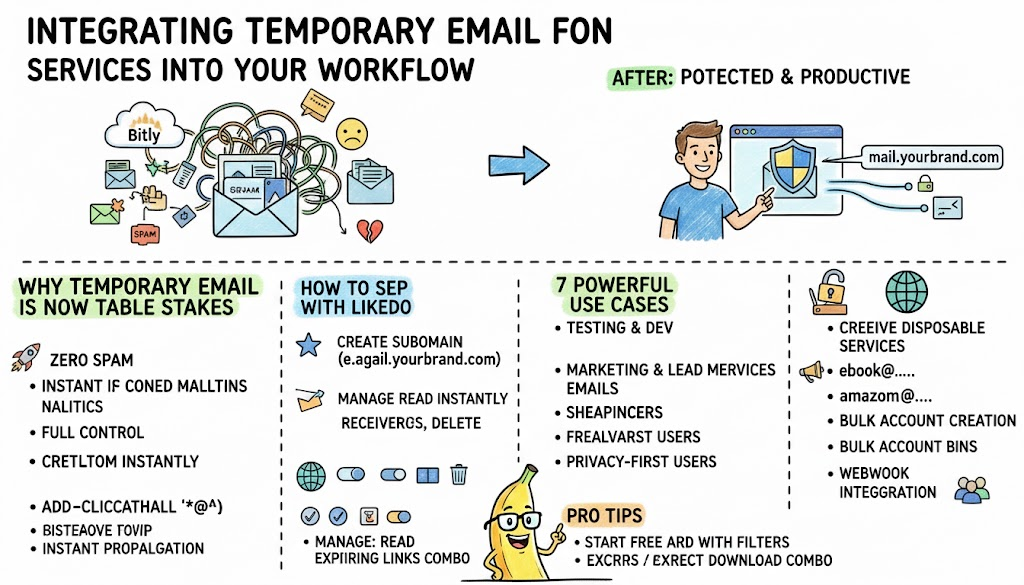
Integrating Email Services Into Your Workflow
Discover how developers, marketers, and privacy-conscious users are using custom-domain temporary email forwarding to stay productive while protecting their real inbox in 2026.
5 Practical Use Cases for Temporary Email in 2026
Discover how temporary email addresses protect your privacy, reduce spam, and streamline workflows. Essential guide for developers and digital professionals.
Newsletter
Join the community
Subscribe to our newsletter for the latest news and updates