QR Code Marketing
Learn how to leverage QR codes for marketing campaigns, print materials, and contactless experiences. Increase engagement and track offline conversions.
QR codes are experiencing a massive resurgence in 2026. Once dismissed as a gimmick, they've become an essential marketing tool — especially for bridging offline and online experiences.
In this comprehensive guide, you'll learn how to use QR codes effectively for marketing, what mistakes to avoid, and how to track their performance.
Why QR Codes Are Essential in 2026
The COVID-19 pandemic accelerated QR code adoption by 5+ years. Today, users are comfortable scanning QR codes for:
- Restaurant menus and ordering
- Product information and reviews
- Event registration and ticketing
- Payment and checkout
- Wi-Fi access
- App downloads
Key Statistics:
- 89% of smartphone users have scanned a QR code at least once
- QR code scans increased 323% from 2020 to 2024
- 45% of shoppers used QR codes for shopping-related activities in 2024
QR Code Use Cases for Marketing
1. Print Advertising with Trackable Links
The Problem: Traditional print ads (magazines, newspapers, billboards) are impossible to track.
The Solution: Add a QR code that links to a trackable URL.
Print Ad → QR Code → go.yourbrand.com/billboard-2026
                   ↓
           Track scans, conversions, ROI
Example: A fitness brand runs a billboard campaign in 5 cities. Each billboard has a unique QR code:
go.fitbrand.com/nyc-billboardgo.fitbrand.com/la-billboardgo.fitbrand.com/chicago-billboard
They can track exactly which location drives the most sign-ups.
2. Product Packaging and Unboxing Experiences
Use QR codes on packaging to:
- Provide setup instructions and tutorials
- Offer exclusive discounts for repeat purchases
- Collect product reviews
- Share user-generated content
Example: A coffee roaster prints QR codes on bags that link to:
- Brewing guide for that specific roast
- Video of the farm where beans were sourced
- 15% off code for next purchase
Result: 34% increase in repeat purchase rate.
3. Event Marketing and Ticketing
Replace paper tickets with QR codes:
- Instant check-in at events
- Contactless entry
- Real-time attendance tracking
- Upsell opportunities (VIP upgrades, merch)
Example: A conference uses QR codes for:
- Event tickets (scan at entrance)
- Session check-ins (collect CEU credits)
- Networking (exchange contact info)
- Sponsor booth visits (collect leads)
4. Business Cards and Networking
Traditional business cards have problems:
- Easy to lose
- Information becomes outdated
- No tracking of who you gave cards to
QR code business cards solve this:
Physical card with QR code → contact.yourname.com
                           ↓
                   Auto-save contact info
                   Link to portfolio/LinkedIn
                   Track who scanned
Best Practice: Use a digital business card service or create a personal landing page with:
- Name and title
- Contact information
- Social media links
- Portfolio or work samples
- "Add to Contacts" button
5. Restaurant Menus and Ordering
Benefits:
- Update menus instantly (no reprinting)
- Multi-language support
- Reduce physical contact
- Upsell with photos and descriptions
- Direct online ordering
Example: A restaurant chain replaces physical menus with QR codes on tables:
- Customers scan → view menu → order from phone
- Kitchen receives orders in real-time
- 23% increase in average order value (better item descriptions + photos)
6. Real Estate Listings
Place QR codes on:
- "For Sale" signs outside properties
- Window displays
- Property brochures
Link to:
- Virtual tour
- Full property details
- Schedule showing
- Mortgage calculator
Result: Track which properties get the most interest from drive-by traffic.
7. Retail and Point-of-Sale
In-store QR codes for:
- Product details and reviews
- Check inventory at other locations
- Add to online cart for later purchase
- Apply for store credit card
- Join loyalty program
Example: An electronics store places QR codes next to TVs. Customers scan to:
- Compare specs
- Read reviews
- See current promotions
- Buy online (if out of stock in-store)
Creating Effective QR Codes
Design Best Practices
1. Size Matters
Minimum size: 2cm x 2cm (0.8in x 0.8in) for close-range scanning Billboard/outdoor: At least 10cm x 10cm (4in x 4in)
Formula: Distance to scan (in cm) ÷ 10 = minimum QR code size
2. Contrast is Critical
- Use high contrast (dark QR code on light background)
- Avoid low-contrast combinations (gray on white, dark blue on black)
3. Add Your Brand
- Include your logo in the center (QR codes have built-in error correction up to 30%)
- Use brand colors (but maintain contrast)
- Add a clear call-to-action above the QR code
Good CTAs:
- "Scan to get 15% off"
- "Scan for exclusive content"
- "Scan to view menu"
Bad CTAs:
- "Scan here" (users don't know why)
- No CTA at all
4. Test Before Printing
Always test your QR code on:
- Multiple devices (iPhone, Android)
- Different lighting conditions
- Various scanning distances
Technical Best Practices
1. Use Dynamic QR Codes
Static QR codes: URL is embedded in the code (can't be changed) Dynamic QR codes: QR code points to a redirect URL (can update destination anytime)
Always use dynamic QR codes for marketing because:
- Change destination URL without reprinting
- Track scans and analytics
- A/B test different landing pages
- Update expired promotions
2. Use Short, Branded URLs
Bad:  QR → https://bit.ly/3xK9mP2
Good: QR → go.yourbrand.com/promo
Branded URLs:
- Build trust
- Look professional
- Reinforce brand recognition
3. Optimize Landing Pages for Mobile
90% of QR code scans happen on mobile devices, so your landing page must be:
- Mobile-responsive
- Fast-loading (under 2 seconds)
- Clear and simple (single call-to-action)
- No pop-ups or intrusive ads
Tracking QR Code Performance
LikeDo provides comprehensive analytics for QR code campaigns:
Key Metrics to Track
1. Total Scans Raw number of QR code scans
2. Unique Scans Number of individual users (filters out multiple scans from same device)
3. Scan Location Geographic data showing where scans happened
- Useful for multi-location campaigns
- Identify best-performing regions
4. Device Type iOS vs Android
- Optimize landing pages for most common device
5. Time of Scan Understand when users are most engaged
- Adjust campaign timing
6. Scan-to-Conversion Rate Most important metric: % of scans that result in desired action
- Purchase
- Sign-up
- Download
- Form submission
Setting Up Conversion Tracking
// Example: Track QR code scan conversions

// When user arrives via QR code
const urlParams = new URLSearchParams(window.location.search);
const source = urlParams.get('utm_source');

if (source === 'qr-code') {
  // Track QR code visit
  analytics.track('QR Code Scan', {
    campaign: urlParams.get('utm_campaign'),
    location: urlParams.get('utm_content')
  });
}

// When user completes desired action
function onPurchase() {
  if (source === 'qr-code') {
    analytics.track('QR Code Conversion', {
      campaign: urlParams.get('utm_campaign'),
      value: purchaseAmount
    });
  }
}
Advanced QR Code Strategies
1. Multi-Channel Attribution
Combine QR codes with other marketing channels:
Email campaign → Promo code: EMAIL15
Social media → Promo code: SOCIAL15
QR code → Promo code: QR15

Track which channel drives most conversions
2. Progressive Engagement
Create QR code campaigns that unlock content progressively:
Example: Scavenger hunt campaign
- QR Code 1 (on billboard) → Scan unlocks clue + 5% discount
- QR Code 2 (in-store) → Scan unlocks next clue + 10% discount
- QR Code 3 (on product) → Scan unlocks final prize + 20% discount
3. Personalized QR Codes
Generate unique QR codes for each customer:
Use cases:
- Event tickets (one per attendee)
- Loyalty cards (track individual usage)
- Referral programs (unique referral links)
Example: SaaS company sends personalized onboarding emails with unique QR codes:
onboard.saas.com/user-12345- Scan QR code → auto-login to personalized dashboard
- Track which users engage with onboarding
4. Expiring QR Codes
Create urgency with time-limited QR codes:
flash.yourbrand.com/24hr-sale
↓
Automatically expires after 24 hours
Shows "offer expired" message
Common QR Code Mistakes to Avoid
1. QR Code Leads to Desktop-Only Website
Problem: User scans on mobile, gets redirected to desktop site that's unusable on phone Solution: Always use mobile-responsive landing pages
2. No Clear Call-to-Action
Problem: User doesn't know why they should scan Solution: Add text like "Scan for 20% off" or "Scan to watch demo"
3. QR Code Too Small
Problem: User can't scan from normal distance Solution: Follow size guidelines (minimum 2cm x 2cm)
4. Broken or Changed Links
Problem: QR code points to URL that no longer works Solution: Use dynamic QR codes that can be updated
5. QR Code in Unreachable Location
Problem: Billboard on highway at 60mph — impossible to scan safely Solution: Only use QR codes where users can safely stop and scan
6. No Tracking or Analytics
Problem: Can't measure ROI of QR code campaigns Solution: Always use trackable short links with analytics
Creating QR Codes with LikeDo
LikeDo makes QR code creation effortless:
Step 1: Create a Short Link
Long URL: https://mystore.com/summer-sale-2026-limited-time-offer
Short link: go.mystore.com/summer
Step 2: Generate QR Code
- Click "Generate QR Code" on any short link
- Customize design (add logo, change colors)
- Download high-resolution PNG or SVG
Step 3: Track Performance
- View real-time scan analytics
- See geographic data
- Track conversions
Real-World Case Studies
Case Study 1: Coffee Shop Chain
Challenge: Increase loyalty program sign-ups
Solution: QR codes on coffee cups linking to loyalty program
Results:
- 12,000 scans in first month
- 3,400 new loyalty members (28% conversion rate)
- 15% increase in repeat purchases
Case Study 2: Real Estate Agency
Challenge: Generate more leads from "For Sale" signs
Solution: QR codes on yard signs linking to virtual tours
Results:
- 450 scans per listing (average)
- 23% of scans requested showings
- Sold properties 18% faster
Case Study 3: SaaS Product Launch
Challenge: Drive app downloads at trade show
Solution: QR codes on booth display and swag
Results:
- 1,200 scans at 3-day event
- 680 app downloads (57% conversion)
- 120 paid subscriptions within 30 days
Conclusion
QR codes are no longer optional — they're a powerful tool for connecting offline and online experiences, tracking print advertising ROI, and creating seamless customer journeys.
Key Takeaways:
- Use dynamic QR codes with branded short URLs
- Always include a clear call-to-action
- Optimize landing pages for mobile
- Track analytics and conversions
- Test before printing
Ready to start your QR code marketing campaign?
👉 Create your first QR code with LikeDo
Bridge the gap between offline and online. Start tracking real results.
Author

Categories
More Posts
Complete Guide to Earning and Using Credits
Learn all the ways to earn credits and how credits are used across LikeDo features
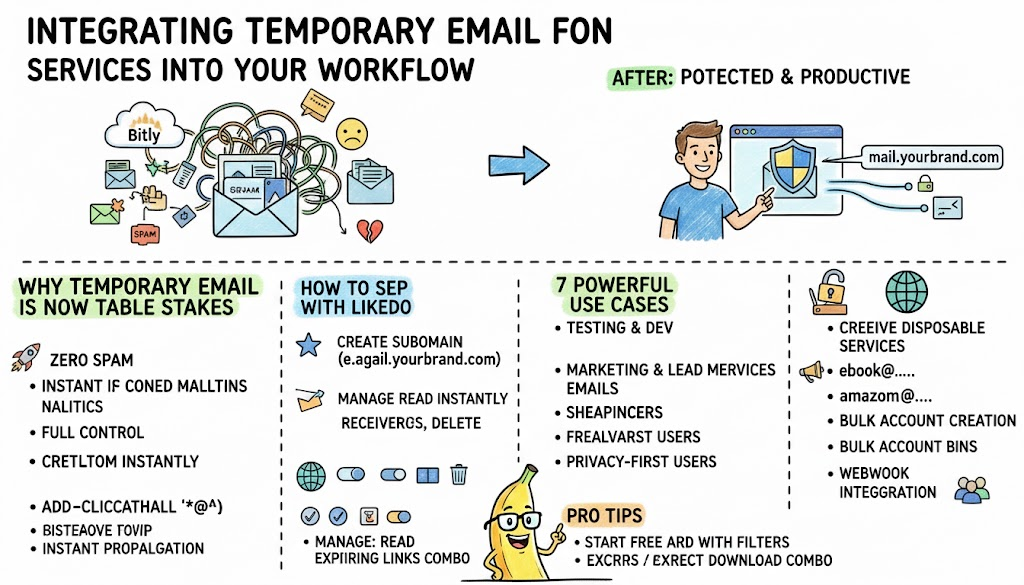
Integrating Email Services Into Your Workflow
Discover how developers, marketers, and privacy-conscious users are using custom-domain temporary email forwarding to stay productive while protecting their real inbox in 2026.
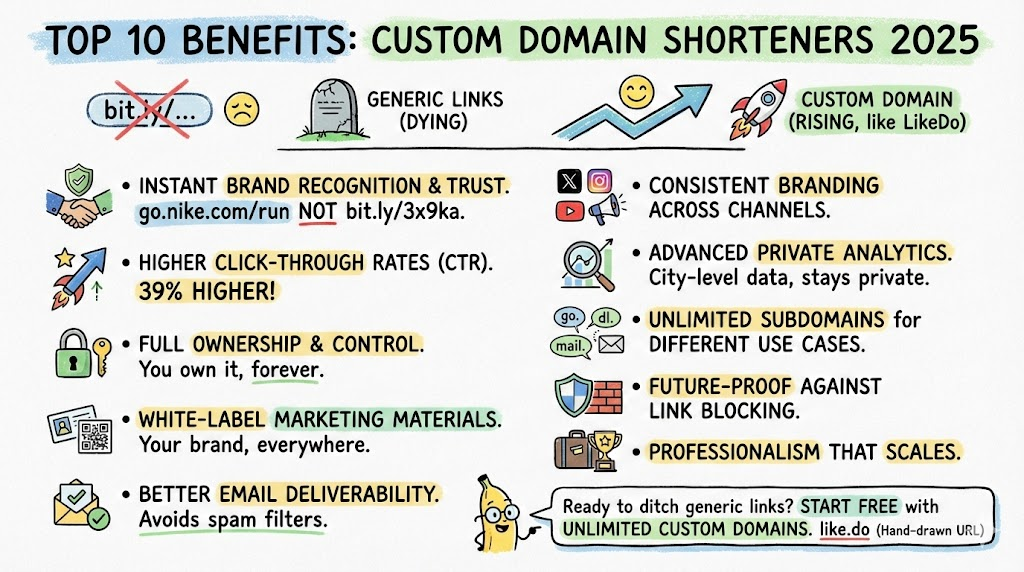
Top 10 Benefits of Using Custom Domain Shorteners in 2026
Why smart brands and developers are ditching generic short links like bit.ly or t.ly and moving to custom domain shorteners like LikeDo.
Newsletter
Join the community
Subscribe to our newsletter for the latest news and updates