How to Use AI Agent Chat for Productivity
Complete guide to LikeDo's AI agent chat feature - boost your productivity with intelligent conversations, thread management, and tool integration.
LikeDo's AI Agent Chat is a powerful productivity tool that brings intelligent AI assistance directly into your dashboard. Whether you need help analyzing data, generating content, or automating tasks, the AI chat agent is your always-available assistant.
This guide will show you how to master the AI chat feature and integrate it into your daily workflow.
What is AI Agent Chat?
The AI Agent Chat is an intelligent conversational interface that helps you:
- Generate and optimize content
- Analyze link performance data
- Get insights from your analytics
- Automate repetitive tasks
- Brainstorm ideas and strategies
- Answer technical questions
Unlike basic chatbots, LikeDo's AI agent has access to your dashboard data and can perform actions on your behalf.
Getting Started with AI Chat
Accessing the Chat
Navigate to Dashboard → Agent or click the chat icon in the sidebar.
You'll see:
- Welcome message with your name
- Suggested prompts to get started
- Chat history on the left sidebar
- New conversation button
Your First Conversation
Click on a suggested prompt or type your own question:
Example prompts:
- "Analyze my top 10 performing links from the last 30 days"
- "Create 5 social media posts about our new feature"
- "What's the best time to post links based on my analytics?"
- "Generate QR codes for my top 5 links"
The AI will respond with intelligent, context-aware answers.
Key Features
1. Thread-Based Conversations
Every conversation is organized into threads (similar to email threads).
Benefits:
- Keep different topics separate
- Return to previous conversations anytime
- Maintain context throughout the discussion
How to use threads:
- Click "New Chat" to start a fresh conversation
- View all threads in the left sidebar
- Click any thread to resume that conversation
- Threads are automatically saved
Example use case:
- Thread 1: "Marketing campaign ideas"
- Thread 2: "Technical API questions"
- Thread 3: "Content optimization"
2. Multi-Model Support
Choose from different AI models based on your needs:
Available models:
- GPT-4 - Most capable, best for complex tasks
- GPT-3.5 - Faster, good for simple questions
- Claude - Excellent for long-form content
- Custom models - Configured by your organization
How to switch models:
- Click the model selector in the input area
- Choose your preferred model
- All future messages use that model
When to use which model:
- Complex analysis → GPT-4 or Claude
- Quick questions → GPT-3.5
- Creative writing → Claude
- Data analysis → GPT-4
3. Tool Integration
The AI can use tools to perform actions:
Available tools:
- Link Creator - Create short links directly from chat
- Analytics Fetcher - Pull real-time analytics data
- QR Generator - Generate QR codes
- Email Creator - Set up temporary emails
- File Uploader - Upload and manage files
- Data Exporter - Export data to CSV
Example conversation:
You: "Create a short link for https://example.com/product"
AI: [Uses Link Creator tool]
    "I've created a short link: https://go.yourdomain.com/product
     Click tracking is enabled and analytics are live."

You: "Now generate a QR code for it"
AI: [Uses QR Generator tool]
    "QR code generated! Download link: [image]"
4. Image Support
Send and receive images in conversations:
You can:
- Upload screenshots for analysis
- Share QR codes
- Receive AI-generated images
- Analyze charts and graphs
Example: Upload a screenshot of a competitor's landing page and ask: "Analyze this design and suggest improvements for our page"
5. Message Management
Edit messages:
- Click the edit icon on any message
- Modify your question
- Get a revised answer
Delete messages:
- Click the delete icon
- Remove unwanted messages
- Clean up conversation history
Practical Use Cases
Use Case 1: Analytics Insights
Ask the AI to analyze your data:
Prompt:
Analyze my link performance from the last 30 days.
What are the trends? Which links performed best?
What recommendations do you have?
AI Response:
I've analyzed your last 30 days of data:

Top Performers:
1. go.yourdomain.com/promo - 2,450 clicks (↑ 45% vs previous period)
2. go.yourdomain.com/blog - 1,890 clicks (↑ 23%)
3. go.yourdomain.com/free-trial - 1,234 clicks (↓ 12%)

Key Insights:
- Mobile traffic increased 67%
- Peak engagement: Wednesdays 2-4 PM
- Twitter drives 34% of clicks

Recommendations:
1. Double down on promotional campaigns (proven ROI)
2. Post more on Wednesdays between 2-4 PM
3. Optimize free-trial page (declining clicks)
4. Create more mobile-friendly content
Use Case 2: Content Generation
Generate ready-to-use content:
Prompt:
Create 10 tweet variations promoting our new feature:
custom domain support with automatic SSL certificates.
Target audience: developers and SaaS founders.
AI Response:
Here are 10 tweet variations:

1. 🚀 Launched: Custom domains with automatic SSL!
   Connect your brand domain in 2 minutes.
   No DNS headaches. No cert management.
   Just professional branded links. [link]

2. Developers: Stop wrestling with SSL certificates.
   Our new custom domain feature handles everything:
   ✅ Automatic HTTPS
   ✅ 2-minute setup
   ✅ Zero-config DNS
   Try it free: [link]

[... 8 more variations ...]
Copy, customize, and post immediately.
Use Case 3: Campaign Planning
Brainstorm and plan campaigns:
Prompt:
Help me plan a 30-day product launch campaign.
Product: AI-powered link analytics
Target: SaaS companies
Budget: $5,000
AI creates a detailed plan:
- Week-by-week breakdown
- Channel recommendations
- Budget allocation
- Content calendar
- Success metrics
Use Case 4: Technical Support
Get instant answers to technical questions:
Prompt:
How do I set up a custom domain with Cloudflare DNS?AI provides:
- Step-by-step instructions
- DNS record examples
- Troubleshooting tips
- Expected propagation time
Use Case 5: Automation Scripts
Generate code for automation:
Prompt:
Write a Python script that creates short links
from a CSV file using the LikeDo API.
AI generates:
import csv
import requests
import os

API_KEY = os.getenv('LIKEDO_API_KEY')
BASE_URL = 'https://api.like.do/v1'

def create_links_from_csv(filename):
    results = []

    with open(filename, 'r') as file:
        reader = csv.DictReader(file)

        for row in reader:
            response = requests.post(
                f'{BASE_URL}/links',
                headers={
                    'Authorization': f'Bearer {API_KEY}',
                    'Content-Type': 'application/json'
                },
                json={
                    'url': row['url'],
                    'slug': row['slug']
                }
            )

            if response.status_code == 201:
                results.append(response.json())
                print(f"Created: {response.json()['shortUrl']}")

    return results

# Run
results = create_links_from_csv('links.csv')
print(f"Created {len(results)} links")
Ready to run immediately.
Advanced Tips & Tricks
1. Use Specific Prompts
Vague prompt: "Help with links"
Specific prompt: "Analyze my top 20 links from Q4 2024, group by traffic source, and suggest which channels to prioritize in Q1 2026"
Specific prompts = better answers.
2. Provide Context
The AI works better when you provide context:
Good:
I'm launching a SaaS product next month targeting freelance designers.
My budget is $3,000. Help me create a go-to-market strategy
focusing on link sharing and content distribution.
Better:
I'm launching a SaaS product next month targeting freelance designers.
My budget is $3,000. Help me create a go-to-market strategy
focusing on link sharing and content distribution.

Current situation:
- 500 email subscribers
- 2,000 Twitter followers
- No paid ads yet
- Product: Design asset manager
- Price: $15/month
More context = more relevant advice.
3. Iterate and Refine
Don't accept the first response. Iterate:
You: "Create a landing page headline for our link shortener" AI: "Shorten Your Links. Amplify Your Brand." You: "More technical. Target developers." AI: "Developer-First Link Infrastructure. Built for Scale." You: "Perfect!"
4. Save Useful Responses
When the AI generates something valuable:
- Copy it to a document
- Save the thread for future reference
- Create a template from it
5. Combine Tools
Chain multiple tools together:
Prompt:
1. Fetch my top 5 performing links from last month
2. Generate QR codes for each
3. Create social media posts promoting them
4. Export everything to CSV
The AI will execute all steps sequentially.
Best Practices
DO:
✅ Be specific and detailed in prompts ✅ Provide relevant context ✅ Use threads to organize topics ✅ Iterate on responses ✅ Leverage tool integrations ✅ Ask follow-up questions
DON'T:
❌ Share sensitive credentials in chat ❌ Expect the AI to access external services without proper API keys ❌ Use vague, one-word prompts ❌ Mix unrelated topics in one thread ❌ Ignore the suggested prompts (they're helpful!)
Privacy & Security
What the AI can access:
- Your dashboard analytics
- Your links, files, emails (your own data only)
- Public information about LikeDo features
What the AI cannot access:
- Other users' data
- Your billing information
- Your password
Data handling:
- Conversations are encrypted
- Not shared with third parties
- Used only to improve your experience
- You can delete threads anytime
Pricing & Limits
Free Plan:
- 25 messages per day
- Basic models only
- Standard response time
Pro Plan:
- 500 messages per day
- All models (GPT-4, Claude, etc.)
- Priority response time
- Advanced tool access
Lifetime Plan:
- Unlimited messages
- All models
- Fastest response time
- Full tool suite
Keyboard Shortcuts
Speed up your workflow:
Cmd/Ctrl + N- New chat threadCmd/Ctrl + K- Focus input fieldEnter- Send messageShift + Enter- New lineEsc- Cancel current message
Getting the Most Value
Daily Workflow Integration
Morning:
- "Show me yesterday's analytics summary"
- "What should I focus on today?"
Throughout the day:
- Quick content generation
- Data analysis on demand
- Problem-solving assistance
Evening:
- "Generate tomorrow's social media posts"
- "Analyze today's link performance"
Team Collaboration
Share useful prompts with your team:
- Create a prompt library
- Document successful patterns
- Train team members on best practices
Troubleshooting
AI Not Responding?
- Check your internet connection
- Verify you haven't hit daily limit
- Try refreshing the page
- Start a new thread
Getting Irrelevant Answers?
- Be more specific in your prompts
- Provide additional context
- Try a different model
- Break complex questions into smaller parts
Tools Not Working?
- Verify you have necessary permissions
- Check if the feature is enabled in your plan
- Try the action manually first
- Contact support if issue persists
Conclusion
LikeDo's AI Agent Chat transforms how you interact with your dashboard data. From instant analytics to automated content creation, the AI chat agent is your productivity multiplier.
Start using AI chat today:
- Navigate to Dashboard → Agent
- Try a suggested prompt
- Explore tool integrations
- Build it into your daily workflow
The more you use it, the more indispensable it becomes.
Work smarter, not harder. Let AI handle the heavy lifting.
Author

Categories
More Posts
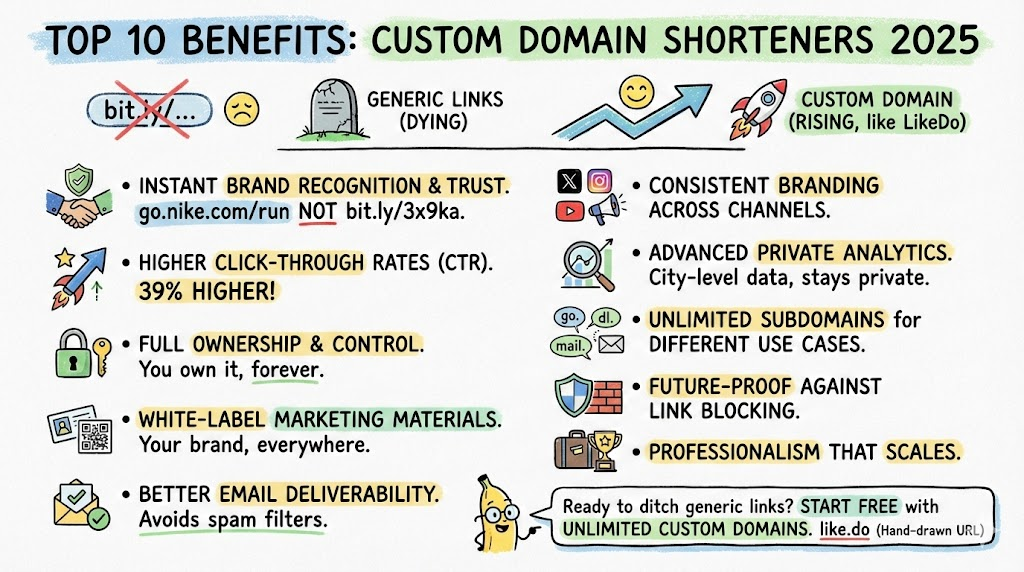
Top 10 Benefits of Using Custom Domain Shorteners in 2026
Why smart brands and developers are ditching generic short links like bit.ly or t.ly and moving to custom domain shorteners like LikeDo.
5 Practical Use Cases for Temporary Email in 2026
Discover how temporary email addresses protect your privacy, reduce spam, and streamline workflows. Essential guide for developers and digital professionals.
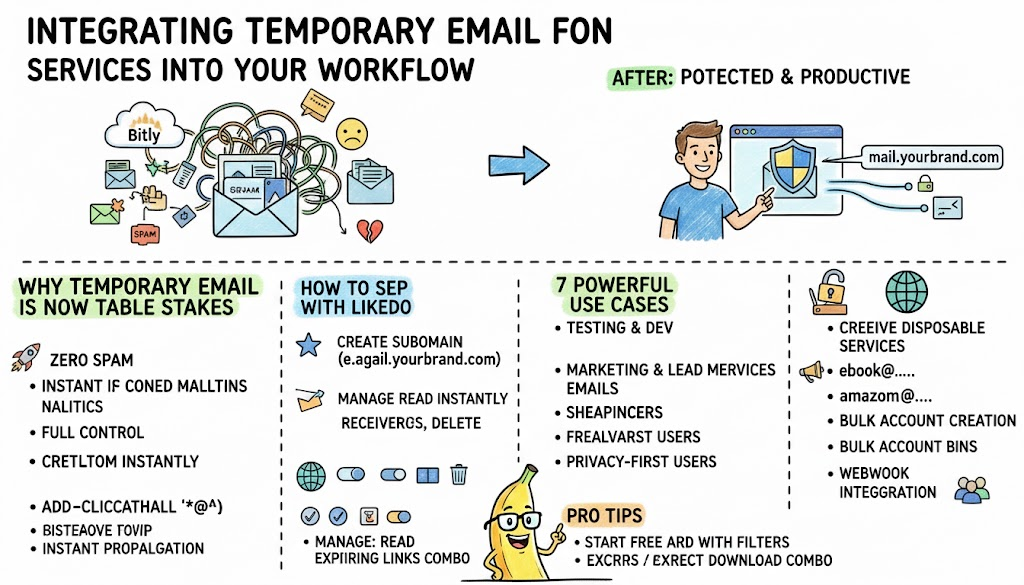
Integrating Email Services Into Your Workflow
Discover how developers, marketers, and privacy-conscious users are using custom-domain temporary email forwarding to stay productive while protecting their real inbox in 2026.
Newsletter
Join the community
Subscribe to our newsletter for the latest news and updates